
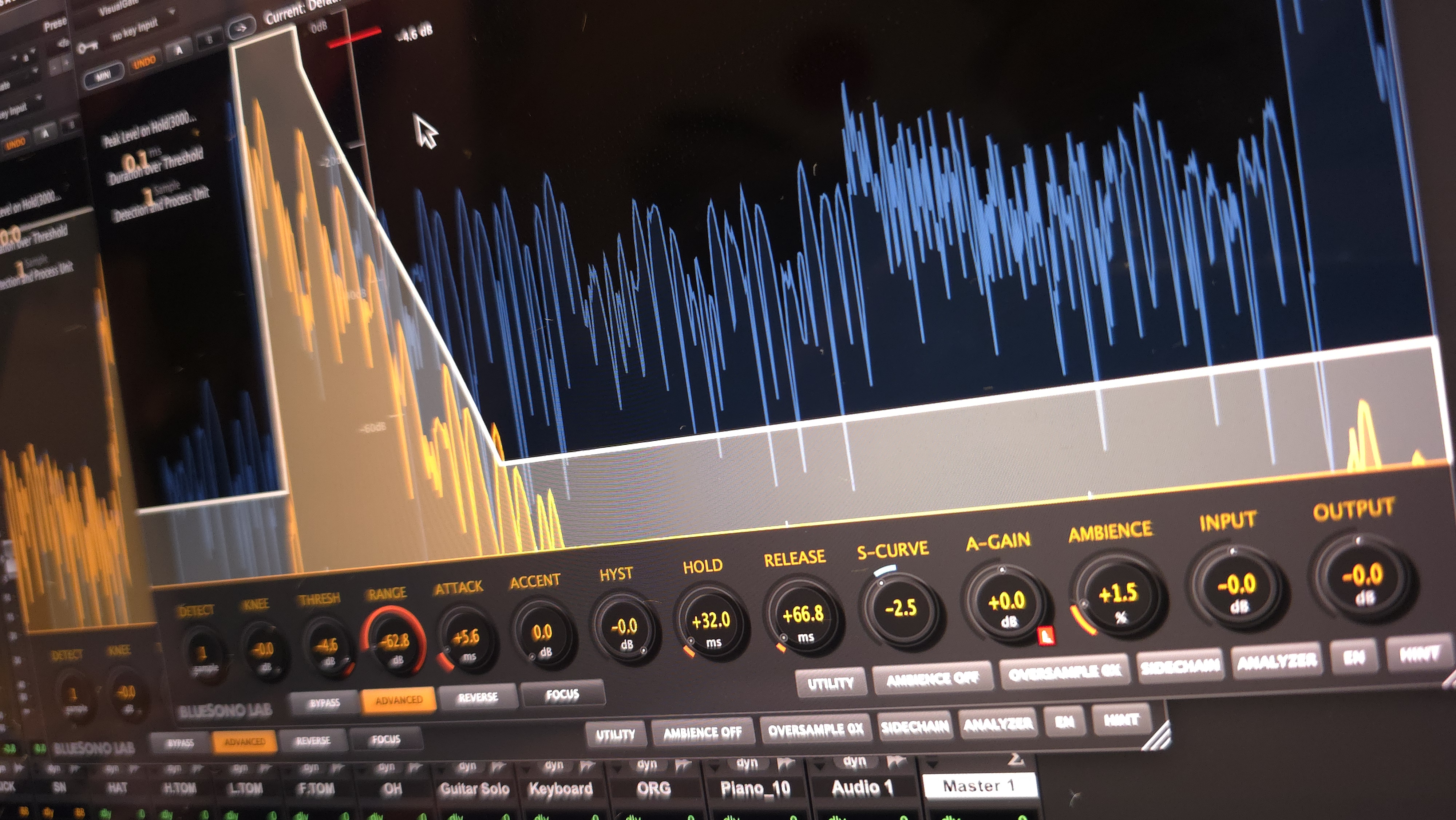
VisualGate
New Era of Revolutionary Audio NoiseGate with Advanced Envelope Design
🚀 Experience the Future of Professional Audio Gating
⚡ Real-Time Visual Feedback • 🎯 Precision Control • 🎨 Creative Tone Shaping
🌍 Available in 6 Languages: 🇺🇸 🇰🇷 🇯🇵 🇨🇳 🇪🇸 🇫🇷
Powerful Features
Everything you need for professional audio gating
6 Languages Supported
Full UI localization in 6 languages: English, Korean, Japanese, Chinese, Spanish, and French. Switch languages instantly from the plugin interface.
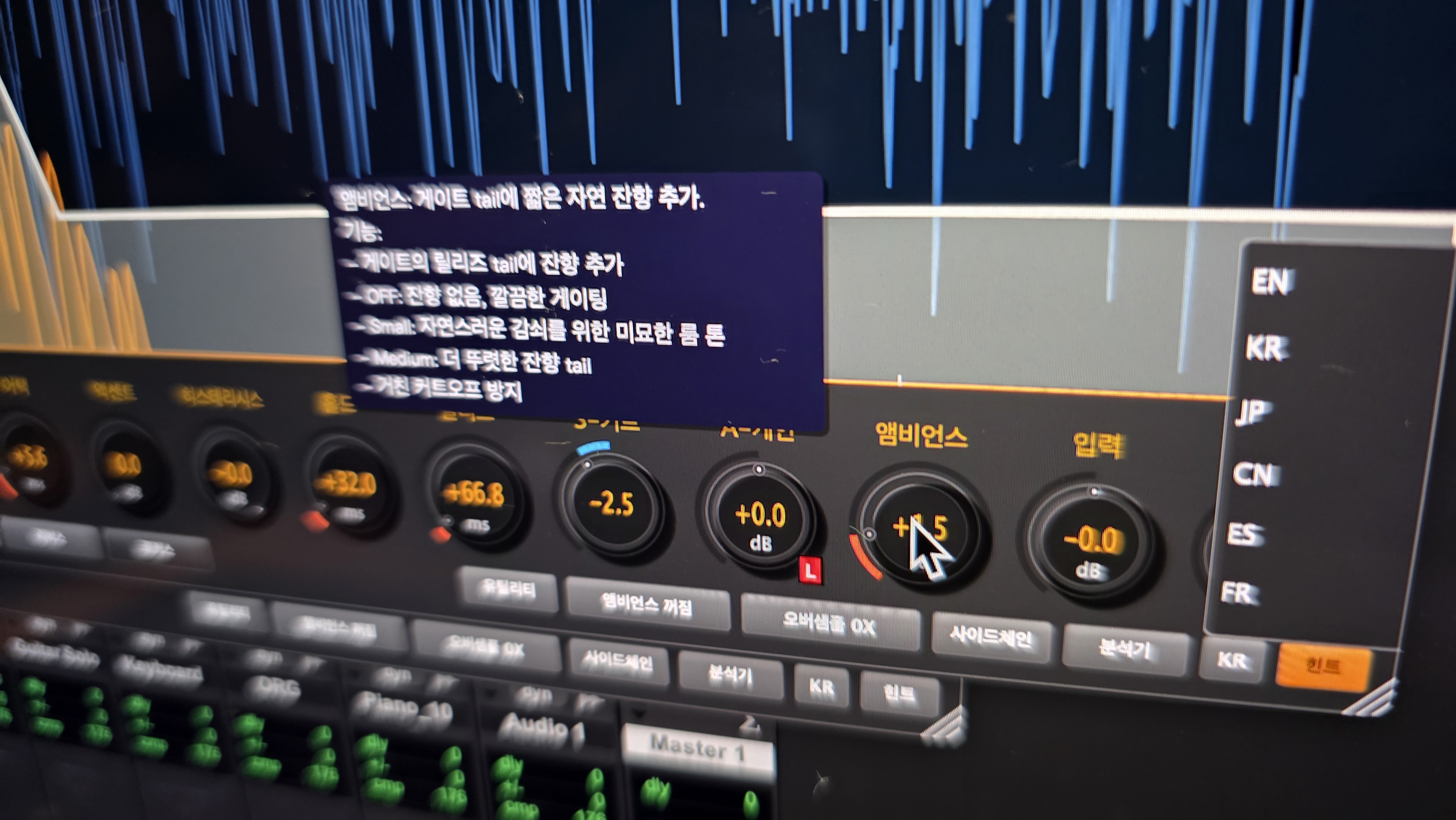
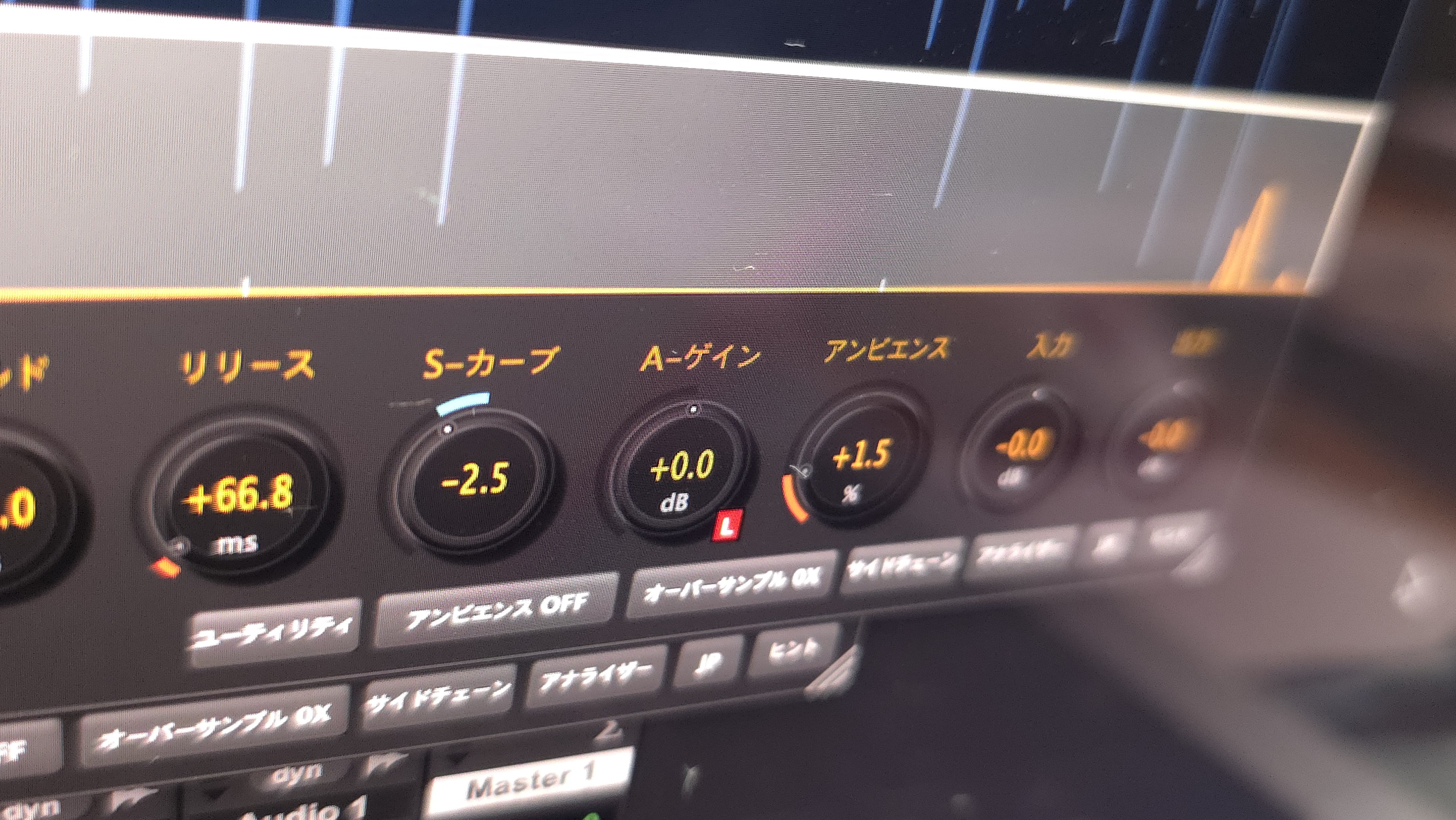
- Complete Localization: All UI elements, labels, and tooltips translated
- Contextual Help: Language-specific hint system with detailed explanations
- Instant Switching: Change language without restarting your DAW
- Native Experience: Professional translations for each language
Advanced Processing Features
Revolutionary DSP Technology for Professional Audio Production
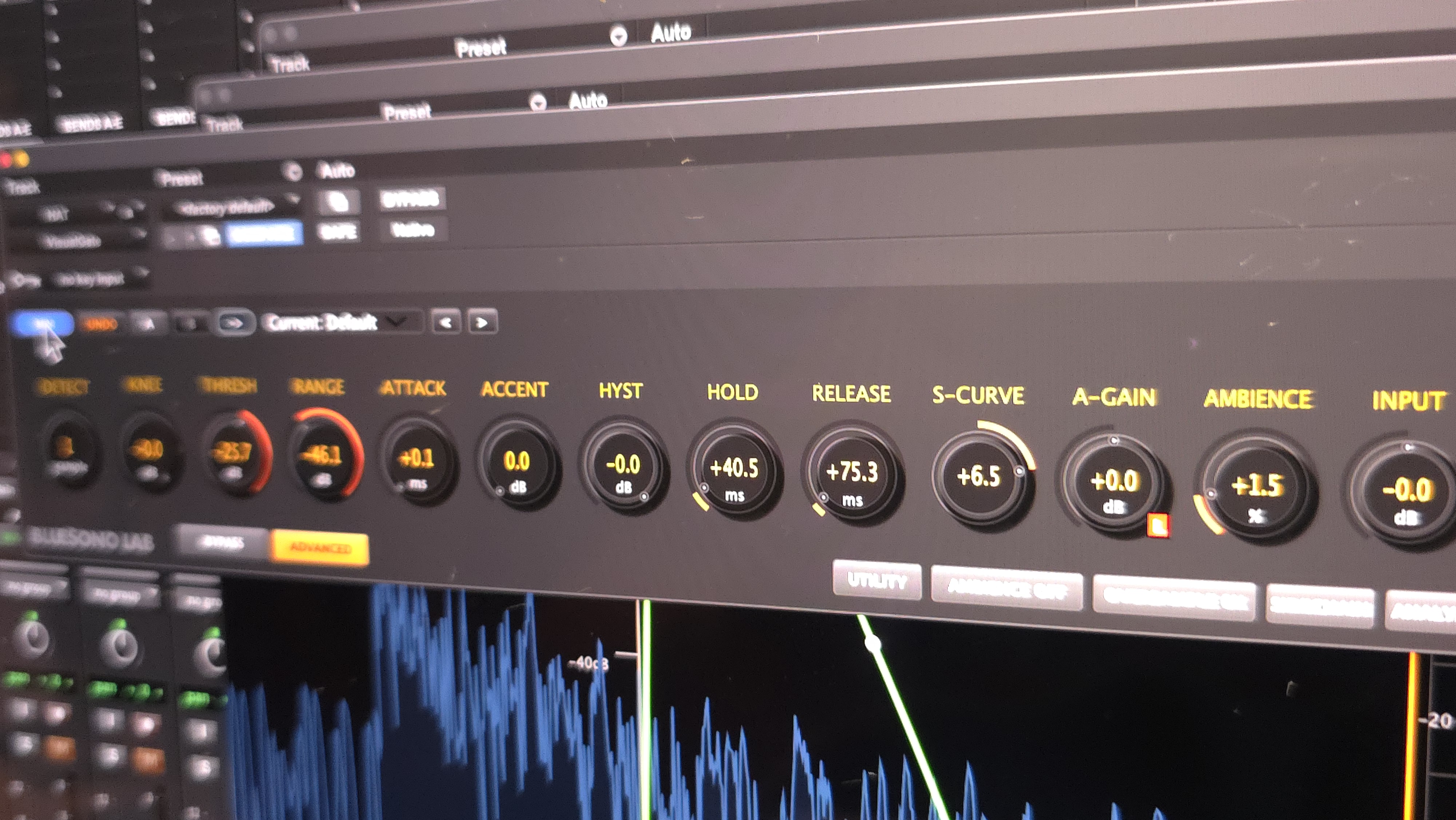
Advanced Parameters
Professional Control
Complete control over every aspect of the gate with 14 precision knobs. Each parameter is designed for professional mixing workflows with intuitive visual feedback.
- Detection: 5 specialized modes
- Knee: Transition smoothness
- Threshold: Gate trigger level
- Range: Gate depth control
- Attack: Gate opening speed
- Accent: Transient enhancement
- Hysteresis: Prevent chatter
- Hold: Holding release ignition
- Release: Gate closing speed
- S-Curve: Response curve shape
- A-Gain: Active gain control
- Ambience: Reverb tail preservation
- Input: Input gain adjustment
- Output: Output level control
🎯 5 Detection Modes
Specialized Detection Algorithms
Choose the optimal detection method for your audio material.
Ultra-fast
Precise
Balanced
Smooth
Musical
🎛️ 14 precision knobs with real-time value display and visual indicators
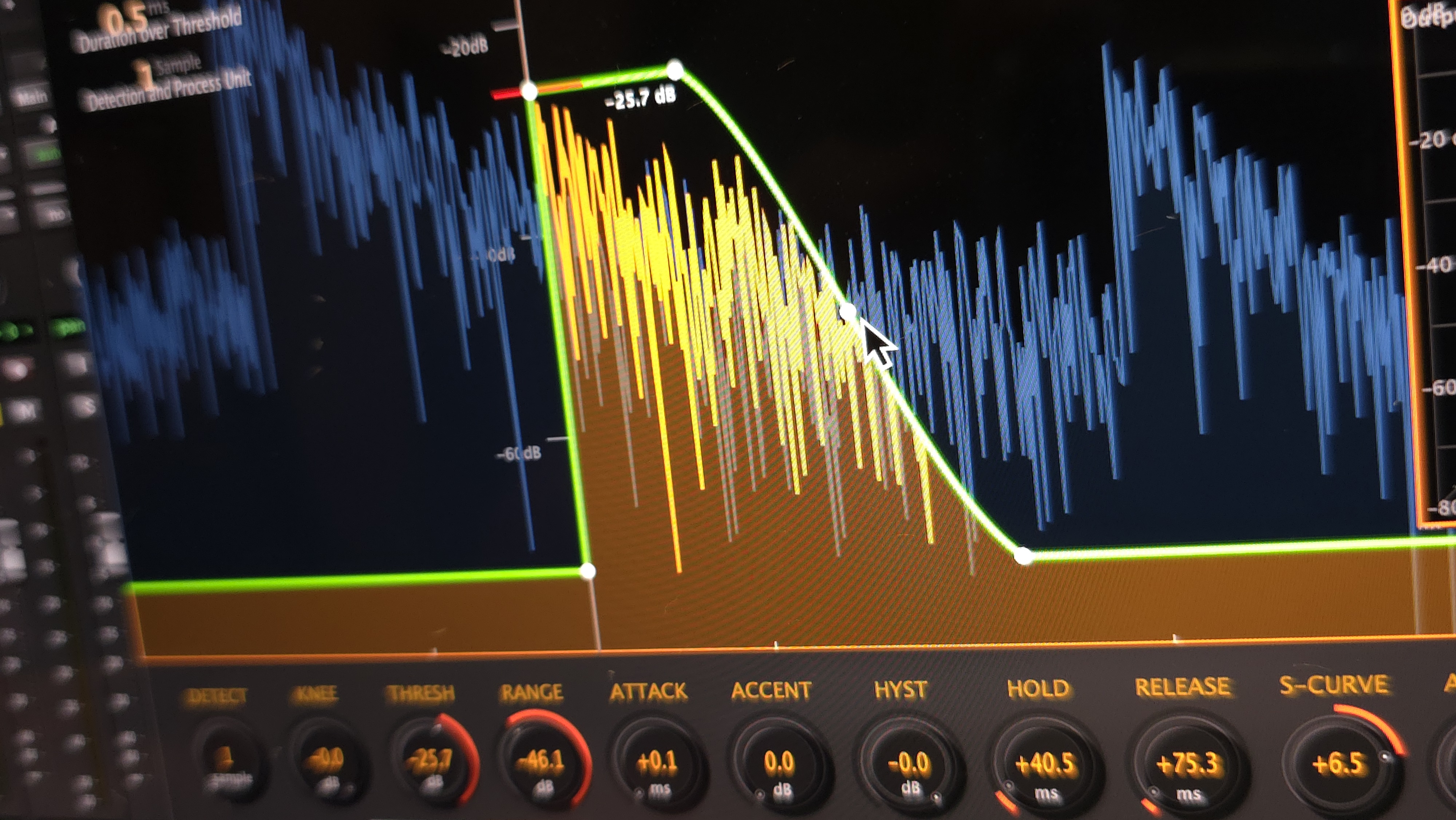
Visualized Precision Control
Real-Time Visual Feedback
See exactly what your gate is doing with real-time waveform visualization. Watch the fader trace respond instantly to parameter changes, making it easier than ever to achieve perfect gate settings.
- Fader Trace: Real-time display of internal fader movement
- Waveform Display: Visual representation of input/output
- Threshold Visualization: See threshold crossing points
- Envelope Display: Attack, hold, and release visualization
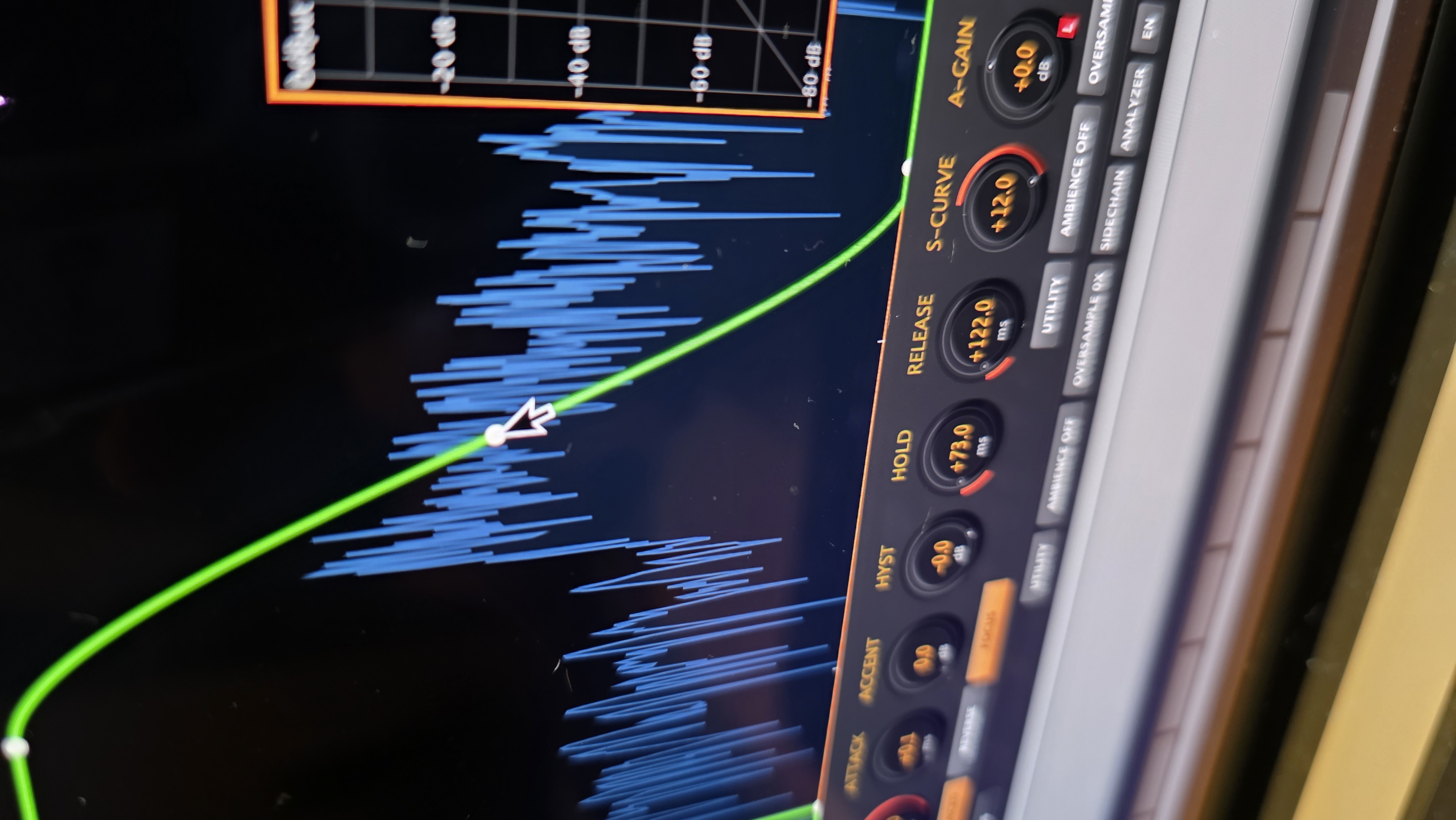
🎯 Focus Mode Features:
Bright green envelope line with white control points
See attack, hold, and release phases
Orange-yellow overlay shows processed output
Bridge what you hear and what you see for surgical control of envelope behavior.
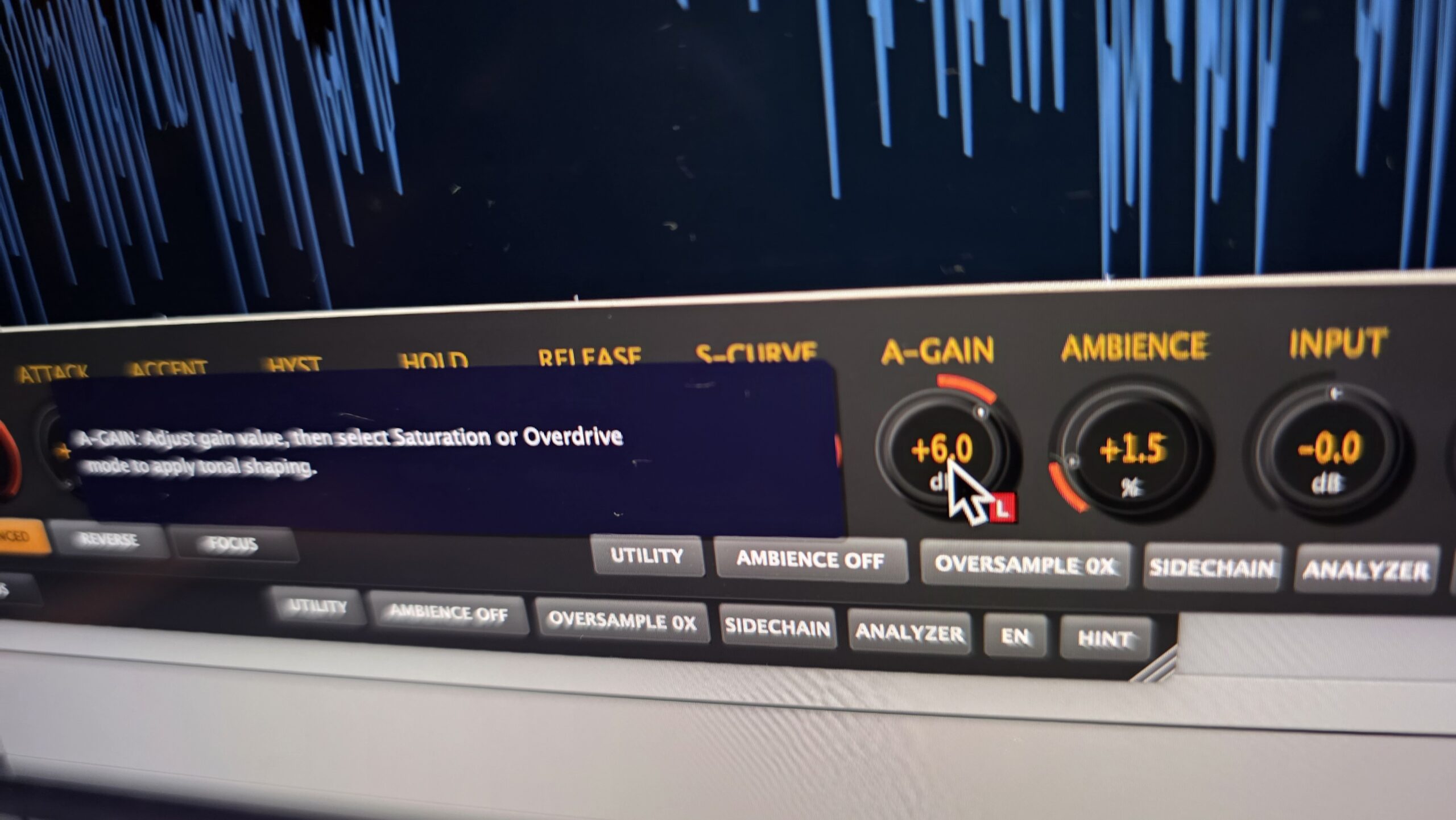
A-Gain (Active Gain)
Linear • Saturation • Overdrive
A tonal and dynamic shaper operating only during the active gate state. Unlike output gain, A-Gain processes the signal only while the fader is open, enabling targeted tonal enhancement.
- Linear: A-Gain level controls
- Saturation: Subtle harmonic warmth, ideal for vocals
- Overdrive: Pronounced harmonics for snares and guitars
Perfect for emphasizing ghost notes and transient definition without affecting noise floor.
Saturation & Overdrive
Musical Harmonic Enhancement
Add harmonic richness during gate active periods. These modes enhance perceived presence without boosting level, creating musical coloration that enriches your sound.
- Saturation: Gentle harmonic coloration for warmth
- Overdrive: Stronger enhancement for attack and body
- CPU-efficient: Acts only during gate open state
Ideal for acoustic instruments, vocals, snares, and aggressive guitars.
Ambience Control
Small • Medium • Off
Preserve natural room ambience and reverb tails. The ambience control allows you to maintain spatial information while still achieving effective gating.
- Small: Subtle ambience preservation
- Medium: Moderate room tone retention
- Off: Maximum gate effectiveness
Perfect for maintaining natural release tail on drums and vocals.
Oversampling
0X • 2X • 4X
Reduce aliasing and improve audio quality with selectable oversampling rates. Process audio at higher sample rates internally for cleaner, more transparent gating.
- 0X: Standard processing, lowest CPU usage
- 2X: Double sample rate for enhanced clarity
- 4X: Maximum quality, professional mastering grade
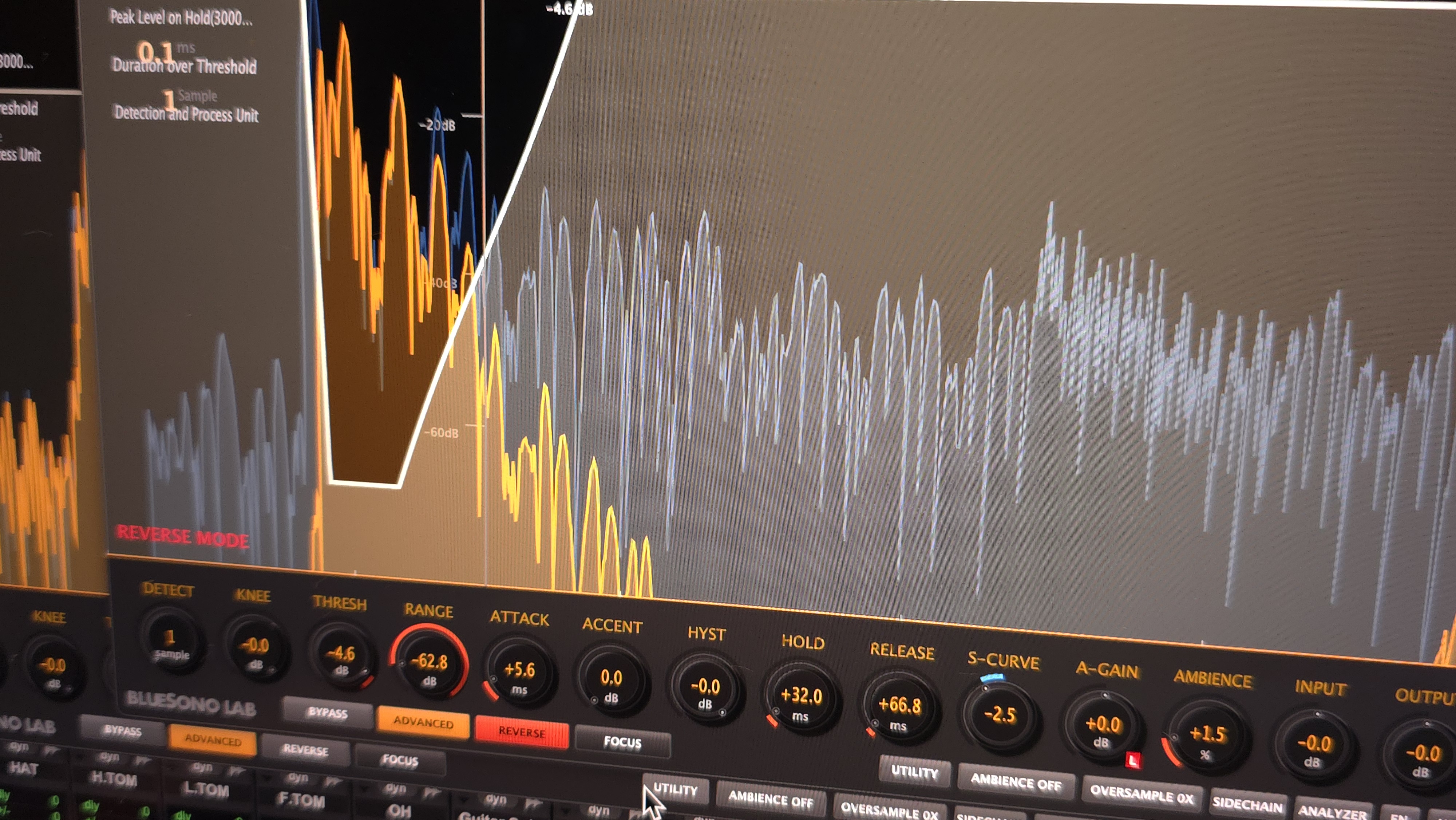
Reverse Mode
Creative Inverted Gate Operation
Invert the gate operation for creative sound design. Reverse Mode opens the gate when signal is below threshold and closes when above, creating unconventional and creative effects.
- Inverted Logic: Gate opens below threshold, closes above
- Fader Trace Reversed: Visual feedback also inverts
- Creative Applications: Remove loud elements, keep quiet parts
- Sound Design: Unconventional gate effects
Remove snare hits from hi-hat tracks by gating out the louder snare transients while preserving the quieter hi-hat content.
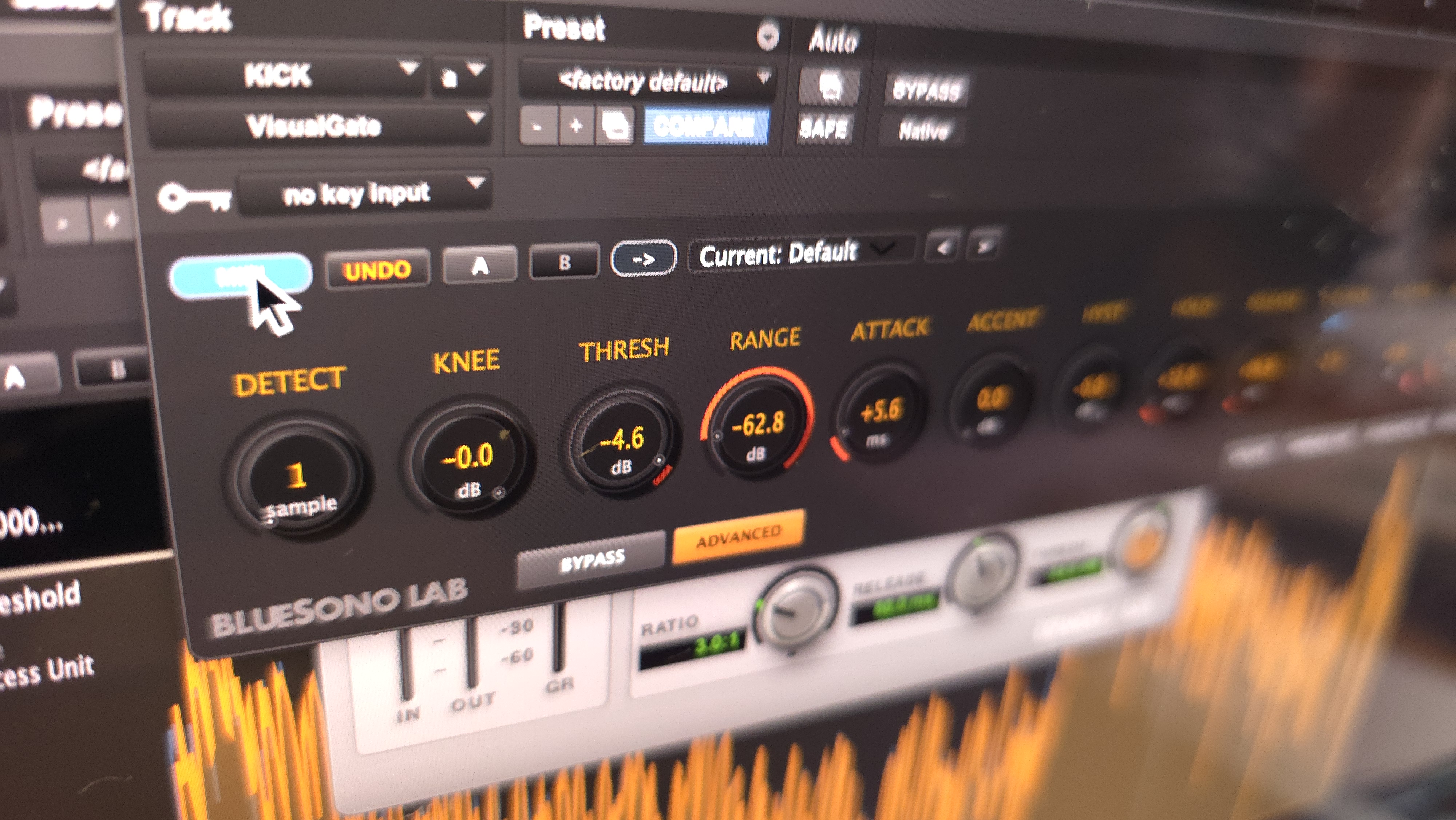
MINI Mode
Resource Optimization
Optimized interface that provides only the essential visual assistance you need. Reduces CPU and GPU usage while maintaining full control over all parameters.
- Lower CPU/GPU: Reduced system resource usage
- Multiple Instances: Perfect for complex sessions
- All Parameters: Complete control in compact form
See Your Sound
VisualGate revolutionizes audio gating by providing real-time visual feedback. Watch your waveform respond instantly to parameter changes, making it easier than ever to achieve the perfect gate settings.
The intuitive visual interface helps you understand exactly what your gate is doing, reducing guesswork and speeding up your workflow.
Technical Specifications
Professional-grade performance
VST3, AU, AAX
Windows AAX: Pending
Ready to use
Double precision
macOS & Windows
System Requirements
macOS
10.15 (Catalina) or later
Intel & Apple Silicon
Windows
Windows 10 or later
64-bit (x64)
VST3 Available • AAX Pending
RAM
4GB minimum, 8GB recommended
Storage
50MB free space
Ready to Transform Your Mixes?
Download VisualGate today and experience professional audio gating with visual feedback.
✓ Lifetime License ✓ 3 Device Activations ✓ Free Updates
🎁 7-Day Free Trial
Try VisualGate Professional for free. No credit card required.
📧 Email required for trial activation
🌐 Internet connection needed for trial request
🔒 One trial per hardware – Each computer can activate trial once
💡 System Requirements: macOS 10.15+ or Windows 10/11 • 4GB RAM minimum
📝 Trial Terms: Email required • Internet connection needed • One trial per hardware device
 Developed by BlueSono Lab